Adapt Beholder to the way you work.
Use scripting to adapt the interface, equipment behaviour and data processing. JavaScript and the Immersive APIs give you the tools to meet your users’ needs.
Functions that adapt to your operations.
Respond to data received from the network, simplify a user action, call an API or process information: scripts let you extend Beholder to suit your projects.
Adapt the experience
Show the information and actions relevant to each role and user profile.
Reuse your work
Group your functions into libraries and reuse them across projects.
Evolve without reinstalling
Update project scripts without asking every user to update their application.
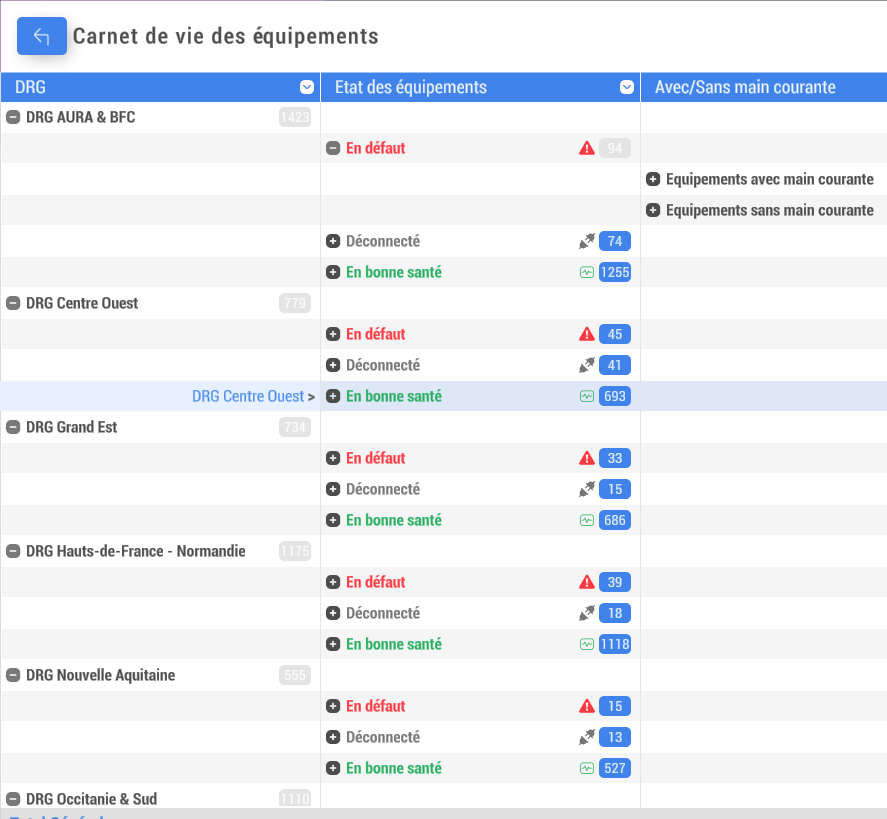
An interface tailored to your users
Modify Beholder’s interface to suit your teams’ needs and working habits.
Present a different interface and relevant functions according to the user’s role or profile. Everyday actions can then become more direct and easier to perform.
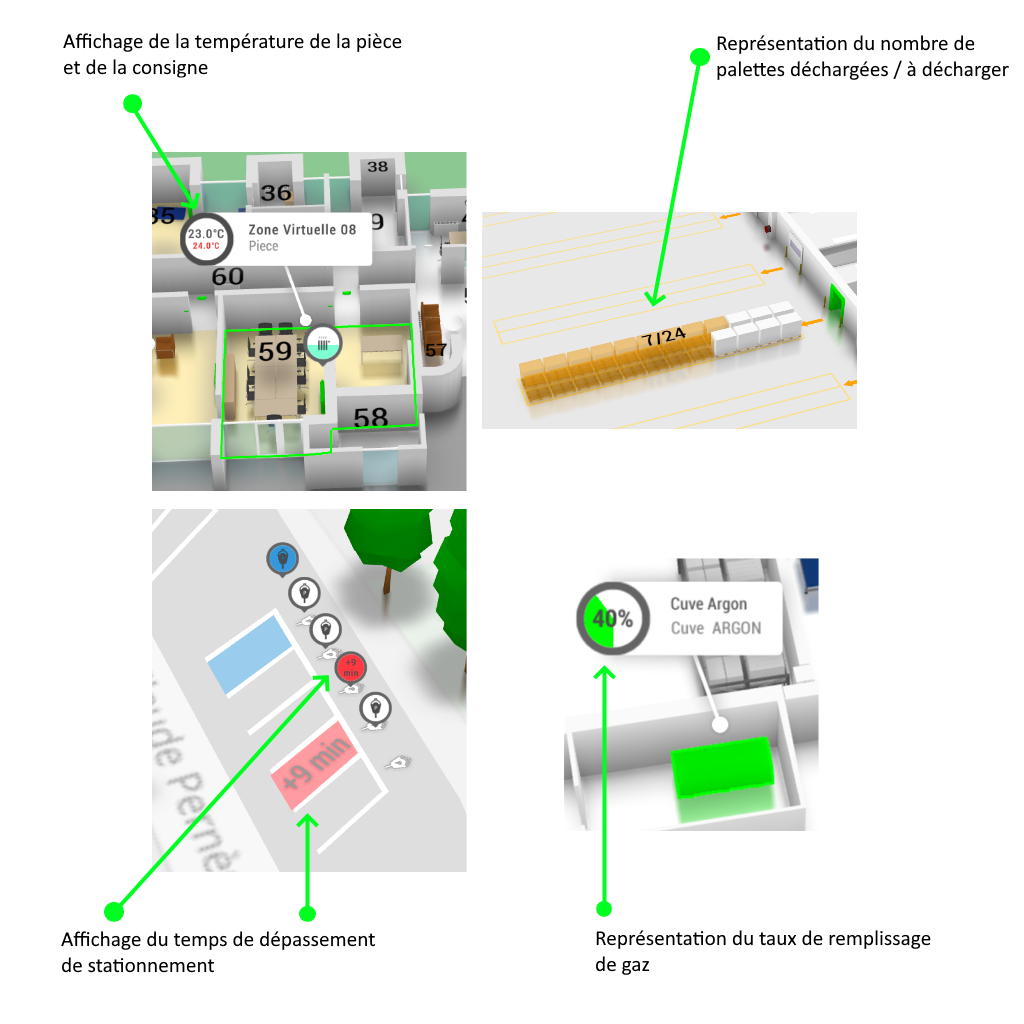
Equipment that is easier to understand and control
Incoming data can be raw or hard to read. Scripting lets you transform and format it to clearly display one or more equipment states.
Adapt equipment behaviour to information received from the network. Add quick actions to control equipment like a remote control, directly within its context in Beholder.

JavaScript to express your business rules
Scripting is based on JavaScript. The Immersive APIs provide functions to modify parts of Beholder or the overall experience and adapt its behaviour to your needs.
Stay in control of changes to your operations: modify behaviour remotely, test your scripts, then deploy them to your users.
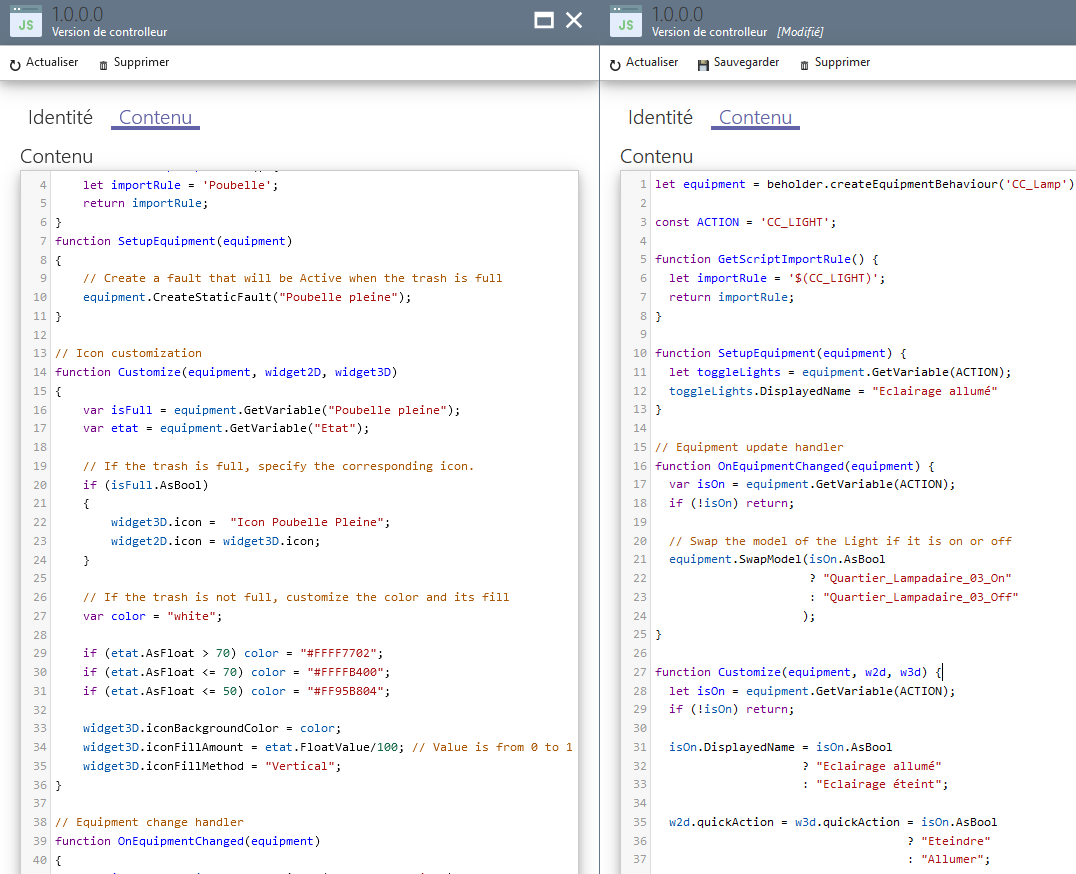
Reusable libraries and workspaces
Build on Beholder’s capabilities to create your own libraries. Reuse functions across projects to develop applications without starting from scratch.
Workspaces let you create working environments for each user profile by bringing together the tools and functions they need.
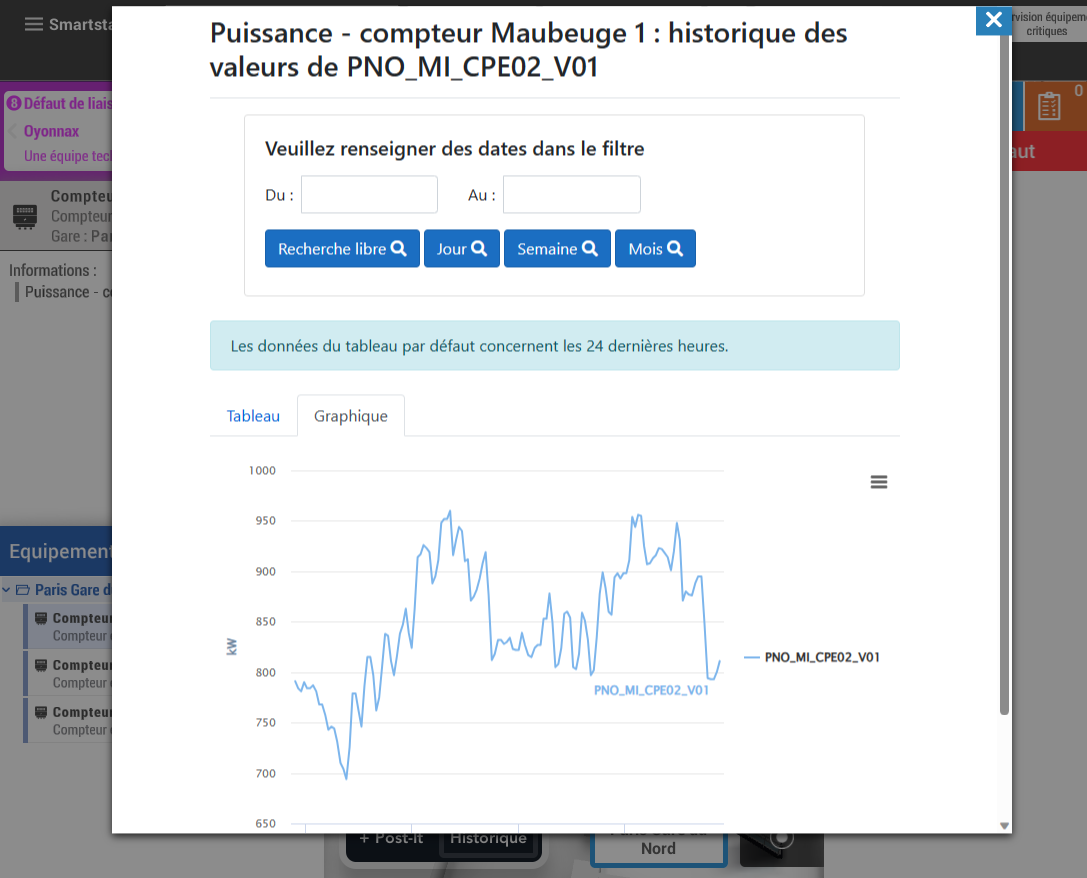
Connect Beholder to your information system
Integrate service results or applications into Beholder. Scripting lets you query OData or REST servers to use data from your information system.
You can also display content from third-party web applications inside Beholder, bringing business information closer to the map and the user’s actions.
Learn scripting.
Explore the documentation and tutorials in the Scripting library to learn how to extend Immersive and create your own functions.