Service
- Getting started
Training
Assigning services in Forge allows you to enrich the elements of a map with Logical or operational features. Whether it is a question of defining a point of interest (POI), a technical function (e.g. ventilation, security) or a use area (reception, storage, etc.), the services offer a Complementary information layer essential to the use of the map beyond its simple geometric representation.
This chapter describes the steps to:
- Access the Service editing mode.
- Select and assign a Specific service to an element (area, structure, model, waypoint).
- Add a Visual icon (bubble) representing the service on the map.
Using the services allows you to Structure information and to facilitate interaction with the other modules of the Immersive suite, particularly in the context of supervision, navigation or functional analysis.
Points of interest are also a major player in the orientation coupled with the solution Compass Immersive.
To assign a service, you need to activate the "Edit Services" menu in the left panel.
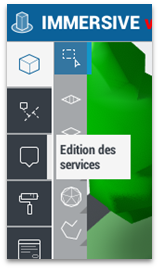
Then select the service from the list by left-clicking and then assign it to the map by left-clicking on the item.
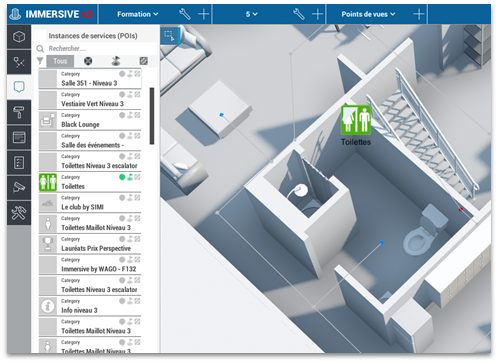
The window asking to create an icon for the POI automatically adds the bubble above the element.
It is possible to assign a service to several types of elements: zones, structures, models and waypoint.