Forge: Patch Notes.
- Release notes
Welcome to this new version of Forge!
Based on your feedback, we're working hard to enrich your experience with functional improvements, new modeling tools, and several bug fixes.
Discover below the new features, by version, the key evolutions, and the optimizations made with each update.
V4.2.0.6
- Validation tab: Addition of an Excel export that indicates the weight for each model in a map / a level (number of vertices)
- Copying and pasting it from the clipboard could freeze the application in some cases
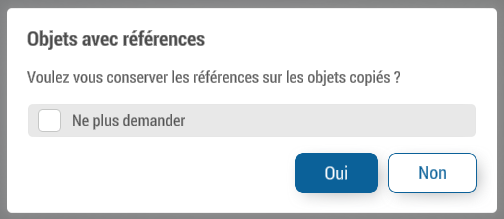
- Copying and pasting asks whether or not you want to keep the references when there are any ("Forge.CopyWithReferences: true/false" in the userinfo to not have the popup)
V4.2.0.5
- Added a 1st person view mode (F11 in Forge.Expert mode, keyboard arrows to move)
V4.2.0.1
- Changing the version of unity
- Copying from clipboard
- Fixed some cases where the style of the original and destination Forge are different
- Having templates with identical names no longer causes an error and displays a message instead
- Adding keyboard shortcuts: Ctrl+Alt+C and Ctrl+Alt+V
- The model exporter includes more information (material names and colors)
- You can copy the fields of the color and vector3 type inspector by right-clicking
V4.1.0.4
- Adding a level to a map without a level made a mistake
- Copying and pasting it via the clipboard did not deselect the objects that were already selected
- The background slider in the bottom bar affects the BG set as favorite (star in yellow), or the highest in the display stack if none is set as favorite (star in black), the slider can be changed with Ctrl(+Shift)+wheel when the mouse is in 3D
V4.1.0.3
- Possibility to edit the fields by dragging on the label
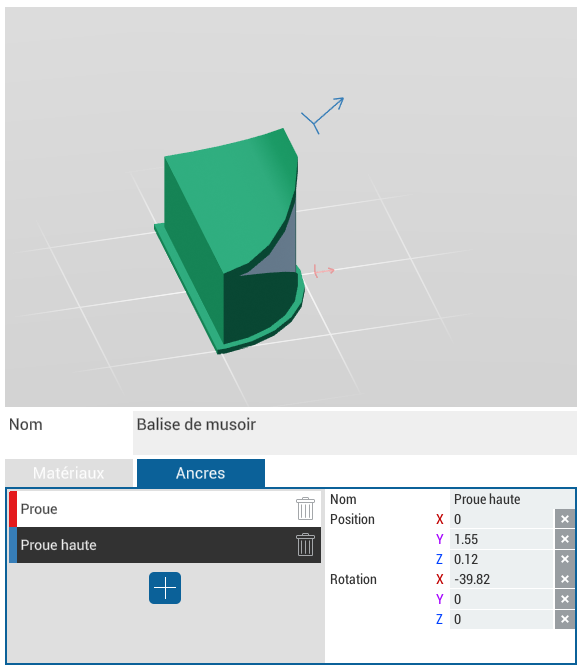
- Adding a Template Anchor Editing Tab to the Template Manager
- The undo/redo was not blocked while dragging a vertex of a polygon
- Starting dragging a vertex of a polygon with mouse and keyboard actions at the same frame caused an error that blocked the save
- The YesNoPopup displayed a button of a template at the bottom left of the screen when used
- The real version is displayed at the top left of the window, clicking on it displays the patchnote, middle click displays it in the browser
- The functions to select identical models/materials are again accessible from the right-click menu (and added the functions for identical areas)
V4.1.0.2
- Launching multiple instances of Forge no longer opens chromium pages
V4.1.0.1
- The skybox and floor were not displayed in the previous version
- Editing styles could generate errors when saving
V4.1.0.0
- Changing the scale of structures no longer changes the height unless it is the only axis being edited
- The wizard for creating a style class has the text field to register the selected name when the window opens
- Changing the color of an override by one color on a style class with a lot of overrides no longer freezes for a few seconds
- The options to select identical models/materials have been moved to the selection inspector
- Added an option to select identical areas (same style and layer) in the Selection Inspector
- The camera can be tilted almost horizontally
- The camera controls are calculated in 2D to avoid bugs during grazing cameras
- Adding a skybox
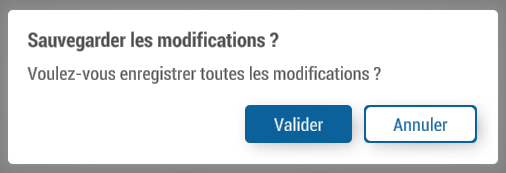
- Visual overhaul of the YesNoPopup
V4.0.0.15
- Polygons were sometimes impossible to edit (vertices not selectable)
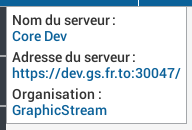
- The popup that gives the server info now displays the server name
V4.0.0.14
Features
- The names of the templates are selectable in the inspector and the field size increases if the inspector is maximized
- Creating a level assigns it a floornumber equal to the previous max +1
- In the style editing tab, right-clicking on the base classes did not copy from another style
Bug fixes
- Changing the color in the popup for creating a style class generated an error
- The move/rotate/scale gizmo could be visible from above even if no object was selected
- The shortcut Ctrl+F in the edit tab of the navigation graph to connect 2 waypoints no longer worked
- The commit button gets gray when an action is in progress and flashes red if you try to make a backup at that time (which could create freezes of the application)
V4.0.0.12
Duplication tool
Redesign of the Duplicate Tool (Maj+D to enable it), now works in 3 steps:
- Choice of axis (Ctrl for snap every 45°)
- Choosing the Duplication Area (Maj for precise movement, Ctrl to remove spaces between duplications)
- Choosing the number of duplications (The position of the mouse changes the number)
Basemap menu
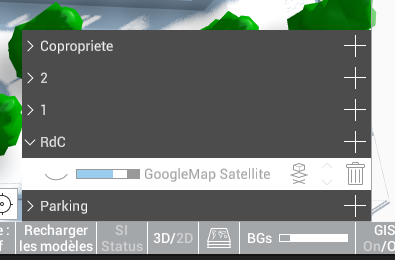
The basemap menu no longer takes up all the height
Style Editing Tab
- Models are no longer in a subcategory.
- Confs zooms are no longer visible while waiting for stabilization
- Bug fixes (added missing classes with the "+" button)