Binder equipment
- Getting started
Training
Assigning equipment in Forge allows you to Link physical or virtual objects (sensors, technical devices, supervision elements) to the geometric elements of a board. This step is essential to turn a static map into a Interactive and connected tool, capable of reflecting the state or configuration of an environment in real time.
This chapter details the steps needed to:
- Enable Mode Editing supervision.
- Select the Scope associated with the map.
- Drag and drop a Equipment available on a target element (area, structure, model, or waypoint).
- Add a Visual Marker (bubble) making it easier to identify the equipment on the map.
Thanks to this feature, Forge becomes a real Operational Support, capable of centralizing equipment data and facilitating management, maintenance and monitoring in operation.
The equipment is also a major player in the supervision coupled with the solution Beholder Immersive.
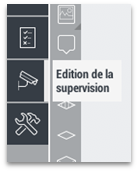
To assign a piece of equipment, you need to activate the "Edit supervision" menu in the left panel.
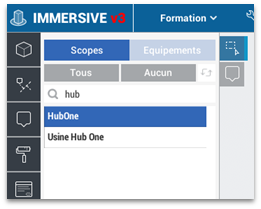
Then select the scope linked to the card.
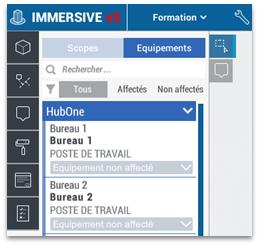
Then, click on "Equipment" to display the list of available equipment.
You then have to drag the equipment from the list with a left click to the target element.
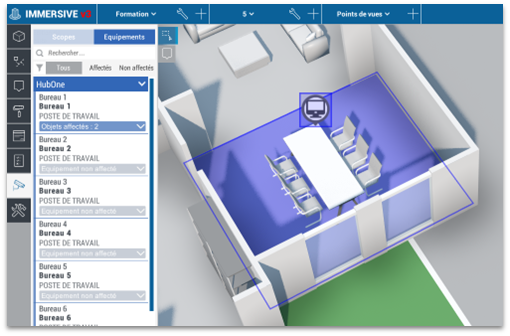
The window asking to create an equipment marker automatically adds the bubble above the element.
It is possible to assign a service to several types of elements: zones, structures, models and waypoint.