Favorites and Recent
- Getting started
Training
Forge makes the work easier by allowing its users to bookmark the most commonly used resources (styles, maps, templates, etc.).
Principles and operation
Favorites make it easier to access the items you want to find with a click in the different lists available in Forge.
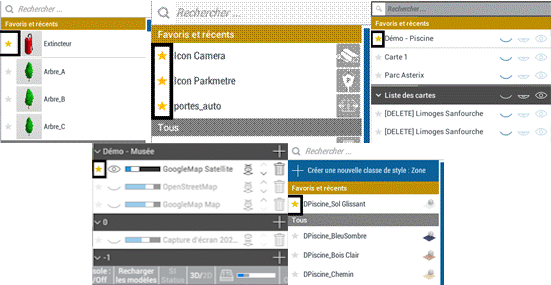
Favorite items can be found at the top of the lists, in a dedicated box.
Clicking on the star icon next to an item in a list turns it yellow and adds the item to the favorites frame.
The item that has been favoured in this way will appear at the top of the list in the "favourites and recents" section and can thus be selected more quickly.
In the same context Favorites and Recent, will appear the various items that have recently been selected and that are not favourites.
They can be added to favorites by clicking on the star.
Appearing in this context allows you to quickly revert to an item recently used in Forge
Special case of the basemap
A grey/black star is attached to each set basemap. These are not favorites but a mode that allows you to activate the basemap activated by changing the general opacity.
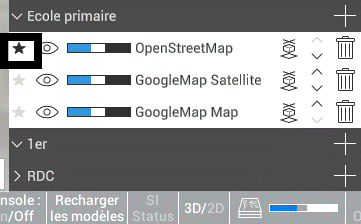
By default, if no basemap is set as a favorite, a black star is present at the top of the display stack of the current floor.
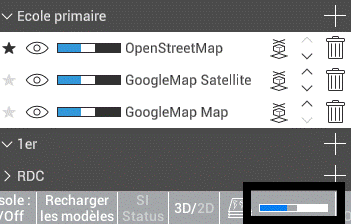
But it is possible to click on a grey star to activate it in black and vice versa. A black star sets the background map that is enabled during the shortcuts to change the global opacity slider (shortcuts Ctrl + molette in the workspace)